DECOY SIGNER
It boots into a game
FRUIT ISLAND is a real, playable game. One secret gesture opens the signer; another opens a spare set of keys, so there is always something to show.
 KISS-SIGNER
01 / start here
Your keys never leave this device. The online half is a separate app, called a coordinator.
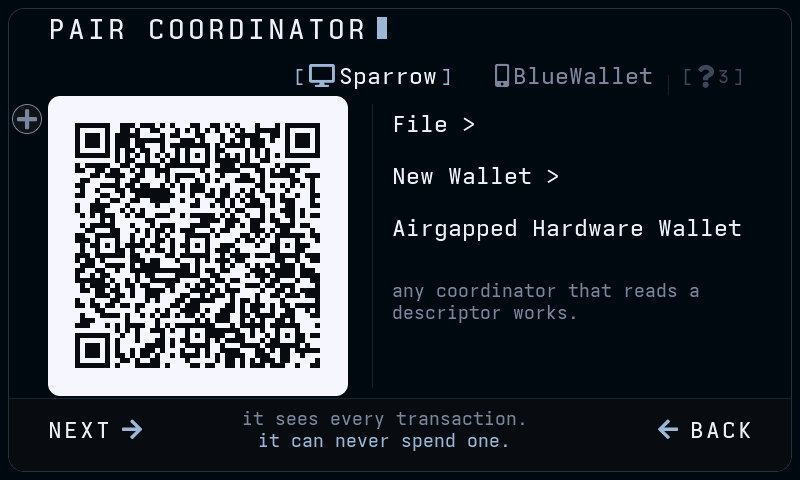
KISS shows a QR of your public keys, a descriptor or a zpub. Your coordinator can then see the balance and hand out addresses. It cannot spend.
It picks the coins and the fee and makes a PSBT: a transaction with no signature yet.
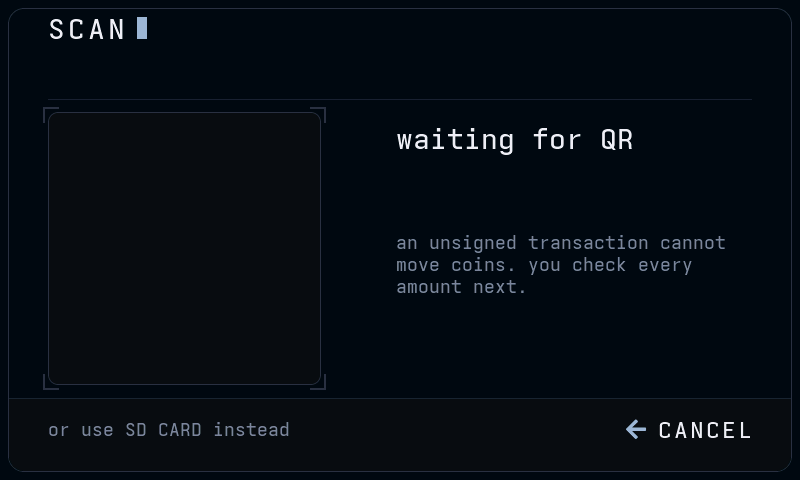
Hand the PSBT over by QR or microSD. KISS recomputes every amount itself, shows you, and signs only on a deliberate hold.
Carry the signed transaction back the same way. The coordinator broadcasts it.
Pairing offers Sparrow and BlueWallet. Anything else works if it does both halves. It has to import a watch-only descriptor, and pass PSBTs by QR or microSD. Anything untried, ask in Telegram.
02 / features
FRUIT ISLAND is a real, playable game. One secret gesture opens the signer; another opens a spare set of keys, so there is always something to show.
A transaction does not fit in one QR. KISS splits it into numbered frames and loops them for your coordinator’s camera, the BC-UR scheme. Or carry the file on a card. No cable ever carries your data.
1 / 8
One sp1 address you can hand out repeatedly, without the privacy cost of address reuse. An optional scan key lets your coordinator find those payments, never spend them.
Every amount, the fee and the change are recomputed here, not taken on trust. Anything risky turns amber before you can sign.
Each with its own font. Buttons resize rather than truncate, and the build fails if a key action gets too small to read.
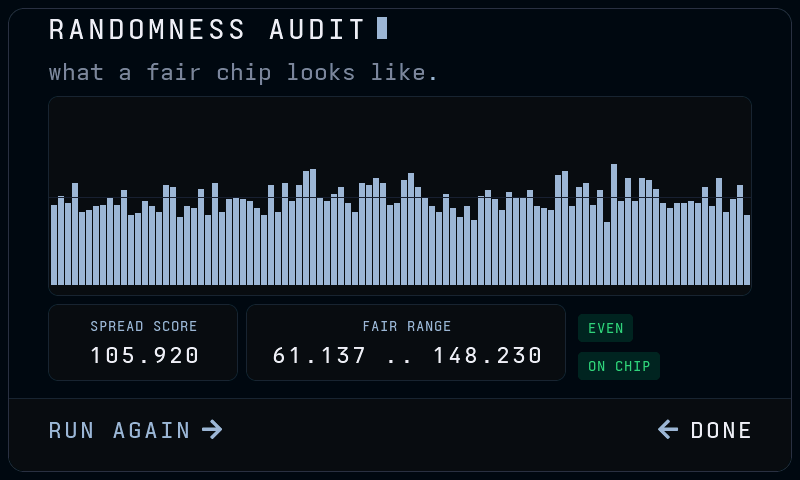
Keys are only as good as the entropy behind them, so the device audits its own: 5000 samples from the chip into a live histogram, scored for evenness. A lopsided chart means bad randomness.
03 / the device
Three boards, no soldering: the Guition JC4880P443C (4.3in), the Waveshare ESP32-P4-WIFI6-Touch-LCD-3.5 (3.5in) and the Guition JC1060P470C (7in). Each has a colour touchscreen, a camera and a microSD slot. The one job left to you is making sure the camera faces out the back, away from you.
The firmware runs on boards with a v1.x ESP32-P4 chip. Boards with
the newer v3.x chip are not supported yet; esptool
prints the revision when it connects.
The ESP32-P4 has no WiFi and no Bluetooth in silicon. The board carries a second chip that does, because the board is sold for other products too. KISS holds that chip in reset before anything else runs, and ships no wireless code at all.
Do not take our word for it. The home screen and Settings show
radio: held in reset, read from the chip each time rather
than printed from memory. With a multimeter, measure the radio’s
off switch on pin GPIO54 and watch it sit at zero volts.
On the Guition 4.3in the camera ships facing the user. Reading a QR from your coordinator needs it facing out. Simple but fiddly:
04 / trust, then flash
Everything for a release sits on the GitHub Releases tab:
kiss-signer-<version>.bin — the firmware, for the Guition 4.3inkiss-signer-<version>-ws35.bin — the firmware for the Waveshare 3.5inkiss-signer-<version>-jc1060.bin — the firmware for the Guition 7inSHA256SUMS — its hashesSHA256SUMS.asc — the signature over those hasheskiss_signer_pgp.asc — the key that signed them
Beside them, kiss-signer-<version>-offline.zip
carries the same firmware with an install page and this guide, for
flashing with no network. It has its own signature.
gpg --import kiss_signer_pgp.asc
gpg --verify SHA256SUMS.asc SHA256SUMS

shasum -a 256 --ignore-missing -c SHA256SUMS     # macOS
sha256sum --ignore-missing -c SHA256SUMS         # Linux
One line matters. The fingerprint must read exactly:
166A CBF3 7786 FCEA A694 96DE 886F 1BFE B84E F1C0
One line looks alarming and is not.
WARNING: This key is not certified appears for every key
you have not personally signed. A name on a key is free text; the
fingerprint is the identity.
A fingerprint is only as good as where you read it. Cross-check this one somewhere other than this page.
Hash with Get-FileHash firmware\kiss-signer-<version>.bin
(-ws35.bin on the Waveshare 3.5in, -jc1060.bin
on the Guition 7in)
in PowerShell and compare against SHA256SUMS by eye. Verify the
signature with Gpg4win.
The install page hashes the firmware in your browser before it offers the button, inside the offline zip too. Neither verifies the GPG signature. Do that yourself, once per release.
05 / no cable, no computer
On beta8 or later this is the easiest route there is. The signer takes its next firmware off a card: no cable, no driver, no computer.
From the latest release, drop the file ending -update.bin in the top level of an SD card. That is the whole preparation.
Each board has its own: -ws35-update.bin is the Waveshare
3.5in’s, -jc1060-update.bin the Guition 7in’s,
and the one with no board in its name the Guition 4.3in’s. From
beta11 on the device refuses another board’s file. Beta10 does
not check, so take your board’s; if the screen stays dark after
a wrong one, power it off and on and it goes back to the firmware it
had.
-update.bin, not the plain .bin. The
plain one starts with the bootloader; a running device looks past that
for the application and reports nothing to install.
Put the card in, then on the signer go to SETTINGS → FIRMWARE and hold to install.
It checks both signatures against keys built into the device before writing anything, so a file that is not ours is refused. If the new firmware fails to start, the device rolls back by itself.
This route keeps your keys and settings. The browser install erases the whole chip — use that for a new device, this for everything else.
06 / esptool, over usb
Safari and Firefox will not let a web page reach USB, which is why the install page needs Chrome, Brave or Edge. This does the same job from a terminal.
One tool, one command. macOS and Linux as written. On Windows use WSL
or Git Bash, or retype the last command on one line without the
\ marks.
pip install esptool        # or: pipx install esptool

# find your device's port:
#   macOS    /dev/cu.usbmodem*  (the 3.5in may show as /dev/cu.wchusbserial*)
#   Linux    /dev/ttyACM*
#   Windows  COM3, COM4, ...

# check the download first, the same check as the page before this one
shasum -a 256 --ignore-missing -c SHA256SUMS

# your board's image: kiss-signer-<version>.bin on the Guition 4.3in,
# kiss-signer-<version>-ws35.bin on the Waveshare 3.5in,
# kiss-signer-<version>-jc1060.bin on the Guition 7in

esptool --chip esp32p4 -p <port> -b 460800 \
  --before default-reset --after no-reset write-flash \
  --flash-mode dio --flash-size 16MB --flash-freq 80m \
  0 kiss-signer-<version>.bin
Then unplug, wait three seconds, plug back in. New firmware only starts after a power cycle, so a black screen almost always means this step got skipped.
The file you just wrote covers the part of the chip that holds keys, so every flash starts from clean ground.
07 / nothing reaches the network
The install page fetches the firmware as it flashes, so pulling the plug halfway breaks it. This is the same install in one download you carry to a machine that never goes online.
From the latest release, take kiss-signer-<version>-offline.zip, under 10 MB. It holds the firmware for every board the release carries, the install page and this guide. Nothing in it reaches out.
Check it before you trust it. The zip has its own signature, and the
command is the one from checking the download.
The folder carries a 00-START-HERE.txt with it written
out.
Nothing past this point needs a connection. Disconnect here if you want to.
The install page has to be served, not opened as a file. A small
program in the folder serves it to your own machine only:
serve.command on macOS, serve.bat on Windows,
./serve.sh on Linux. It prints an address beginning
http://localhost. Open that in Chrome, Brave or Edge and
flash as normal.
python3 serve.py in
the folder instead.
None of this helps on Safari or Firefox: the browser itself cannot
reach USB. Use the command line — the
firmware is in the same folder, under
site/installer/firmware.
08 / read twice, flash once
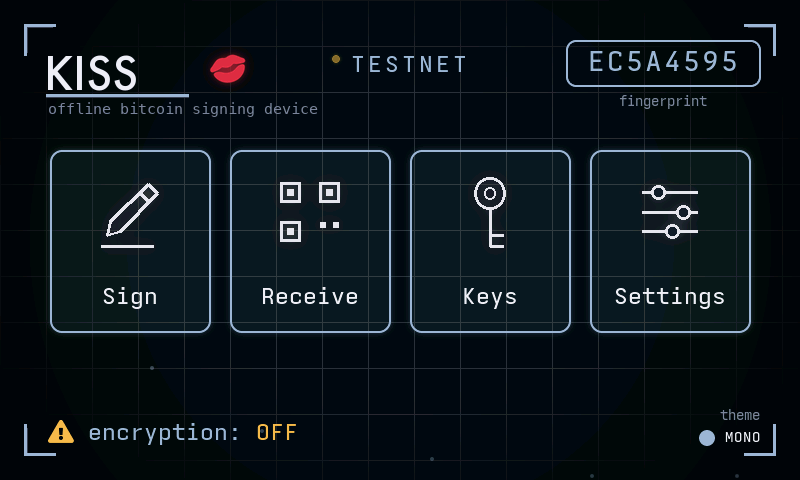
On today’s beta, someone who steals the device and has the right equipment can read your seed words off the chip. The hardened build closes that by turning two locks on its first boot.
The chip scrambles everything it stores. It generates a key by itself and writes it where nothing can read it back — not your computer, not us, not you. Everything saved after that is encrypted with it, so prying the memory open reads noise. Seed words live in their own store, which that encryption does not cover; it gets its own lock at the same time.
The device stops running strangers’ software. It will only start firmware signed with keys you made and keep, so nobody can quietly swap the signer for a lookalike that phones your seed home.
Both turn together. A device that took only one can never accept the other, so it is both or neither.
The home screen and Settings show an encryption line, read off the chip every time rather than remembered. Amber OFF means you are not protected yet. When it goes calm, both locks are on, and that is the moment to create keys you care about.
09 / seed words and passphrase
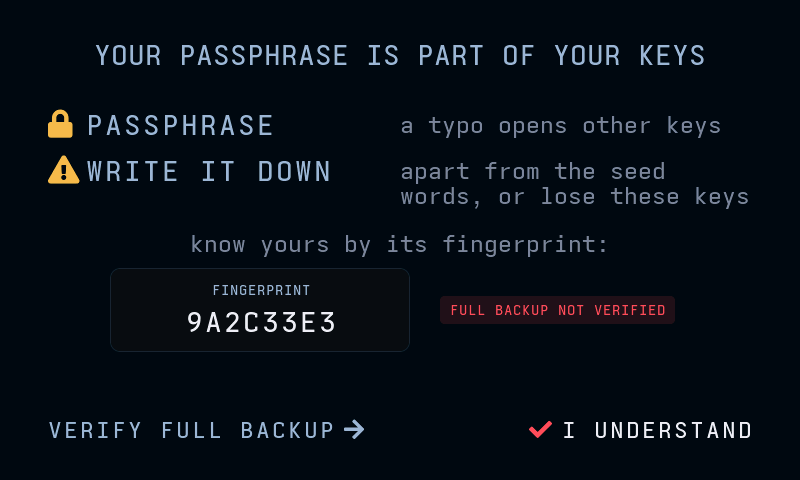
Three rules first. The device will not stop to say them.
Try it in the simulator Walk the setup once here first. The word list and the derivation are the real ones.
10 / do it once with play money
Walk this once with valueless TESTNET coins before using keys you care about. Five steps, receive then spend.

Try it in the simulator Open the signer, then walk the same five steps against Sparrow. Nothing there is on a chain.
11 / it checks, you confirm
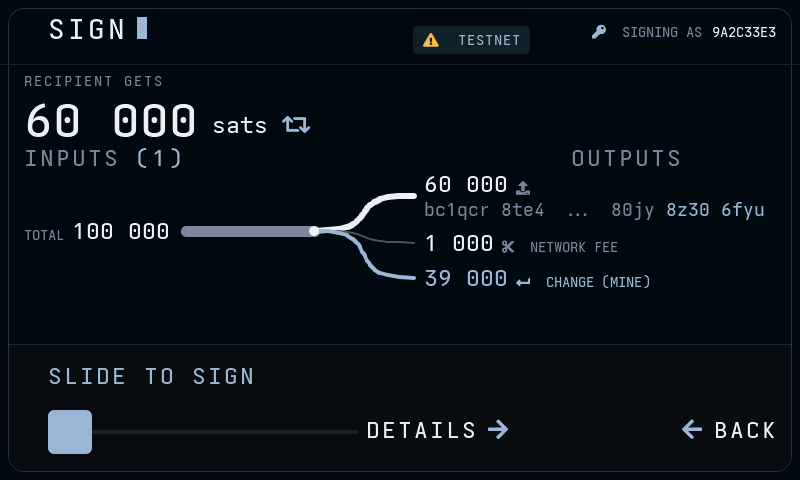
KISS re-derives the whole transaction on its own screen and speaks up before you sign. Always a CAUTION you acknowledge, never a silent surprise.
Try it in the simulator The signing screen is the one the pins point at, and the simulator signs for real.
Address reuse works differently. KISS never sees the chain, so it cannot know which of your addresses were paid. Rather than guess, RECEIVE hands out a fresh address every time.
Several cautions stack into one summary, and a ? opens a WHY FLAGGED card with the fix: freeze or label the coin in your coordinator. Any caution gates the sign button behind I UNDERSTAND.
KISS <version> (<commit>), and says so
while flash encryption is off.12 / three storage modes
Setup asks once, and Settings can change it later. What differs is what someone gets when they physically take the device, the card, or both.
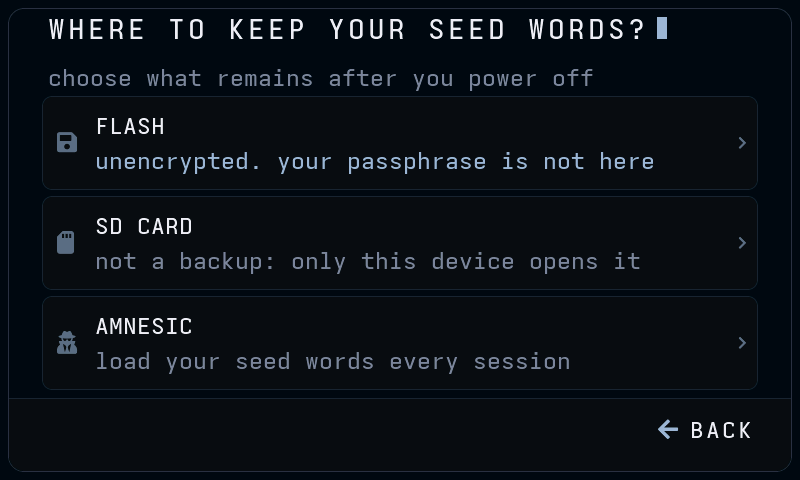
| Mode | Device only | Card only | Both |
|---|---|---|---|
| FLASHon the chip | seed wordson this beta | no card | seed wordson this beta |
| SD CARDsealed, on the card | nothingholds no copy | nothingsealed to the device | seed wordsthe gap |
| AMNESICin RAM only | nothingonce locked | no card | nothingonce locked |
On beta firmware, pick AMNESIC for anything that matters. You load your seed words each time, by typing them or opening an encrypted backup. SD CARD is the better of the two that remember.
Try it in the simulator The mode chooser is under SETTINGS, and switching costs nothing there.
13 / no hardware required
Open the simulator — the signer's own firmware compiled to WebAssembly. Real word list, real derivation, real signature. Nothing is installed and nothing leaves the tab. One button opens a signer that already has keys.